


Give learners a shared goal across courses. Explore point rules, review learner progress, and award points through a conversation with an AI assistant.
XP 21 introduces two major features: an overall level and leaderboard across selected courses, and a direct connection to AI assistants such as ChatGPT and Claude.
An overall level and leaderboard across courses
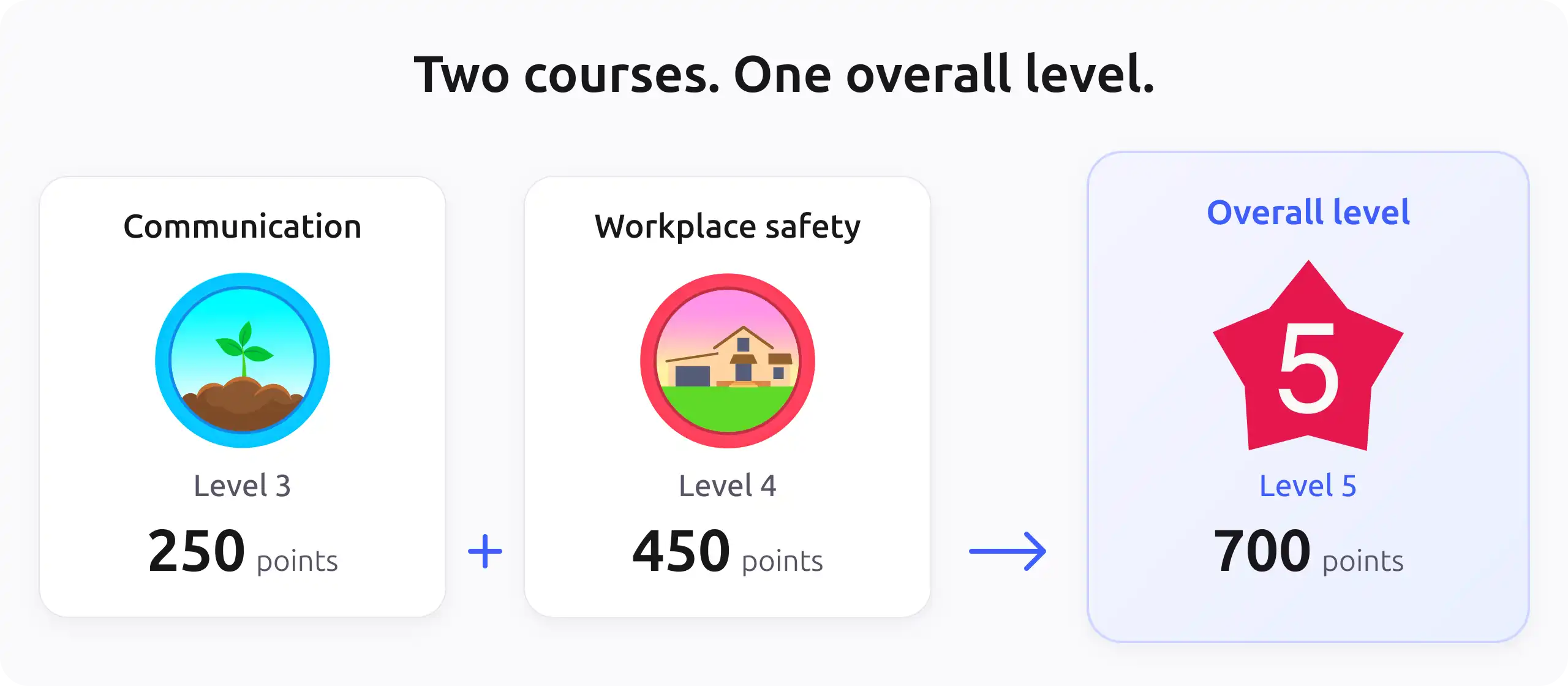
Points from selected courses can now add up to one overall level and leaderboard. Learners keep their points and level in each course, while also seeing how their efforts add up across their learning.
For example, an employee working through an onboarding programme could earn points in communication and workplace safety. Each course has its own milestones, and their combined points give the learner another goal to work towards.
Authorised managers choose which courses contribute. The overall total is the sum of each learner’s points in those courses and updates as their points change.
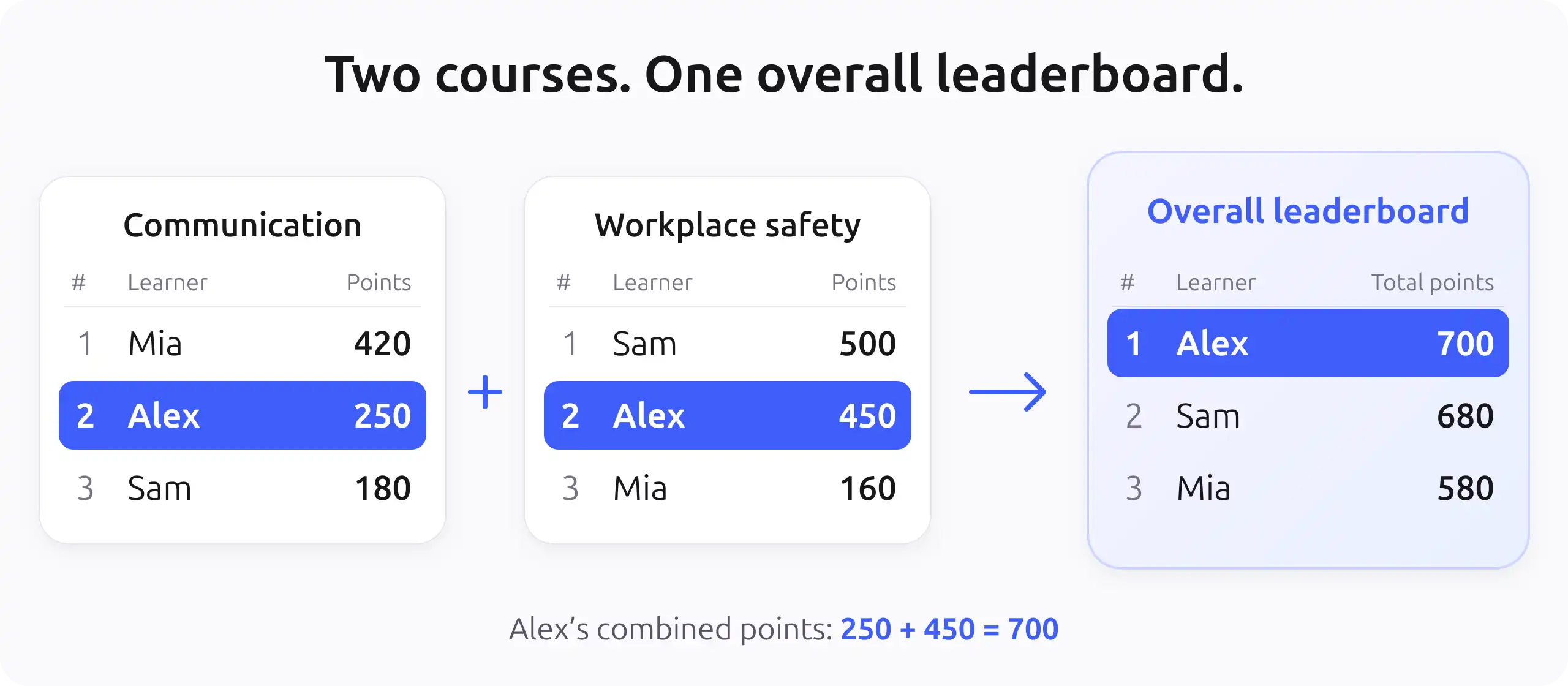
The same idea applies to leaderboards. Learners can see how they rank across the selected courses, with each position based on their combined points. Someone who ranks second in both course leaderboards could take the lead overall.
Spot learners who may need support
Our Queen Mary University case study showed how low XP scores helped staff identify students who might need support. The overall level gives staff a broader view of points earned across courses, adding context to conversations about a learner’s progress.
For training managers, the overall report brings each employee’s points across an onboarding programme together. The breakdown by course and combined logs help staff explore where those points were earned and decide whether a check-in would be useful.
Understand progress and award points through AI
Instructors can now connect an AI assistant to XP and work with live information from Moodle through conversation. The assistant can look up rules, levels, leaderboards, and point history to help answer questions and explore ideas.
The connection uses MCP, a standard that lets AI assistants work with other applications.
You could ask:
- “How do learners earn points in my onboarding course?”
- “Where did Alex’s points come from over the last seven days?”
- “Suggest three ways to improve the rewards in this course.”
Follow-up questions can help refine an idea or investigate a learner’s progress. The assistant can suggest changes to apply in Moodle and, when permitted, award points directly from the conversation.
Administrators control AI access and personal information
Administrators have full control over which AI assistants can connect and what they are allowed to do. They can allow assistants to explain point rules while restricting access to learner names, points, and activity history. They also decide whether assistants can award points and can disable the integration entirely.
Each request also follows the permissions of the connected staff member’s Moodle account. Any information shared goes directly from the Moodle site to the connected AI provider. It does not pass through our systems.
Ready for Moodle 5.3
This release is fully compatible with Moodle 5.3, including support for dark mode, and requires Moodle 4.5 or later. The overall level and leaderboard, along with the AI assistant integration, are available with XP+ Premium.
There are a few smaller additions too. The built-in level badges have refreshed colours, and the maximum number of levels increases from 99 to 100. The certificate action in XP+ now supports the certificate plugins released by Moodle Workplace.
We hope these additions give you fresh ideas for recognising your learners’ efforts. Find out more in our release notes, or download and learn more about XP.