


Giving points should not feel like a puzzle. This release gives you a clearer way to reward the actions that matter, apply points where they make sense, and control how often they can be earned.
If you want to encourage participation, highlight key activities, or keep repeated actions in check, the new action rules make that much easier.
A simpler way to set up points
The new system lets you build rules around real learner actions.
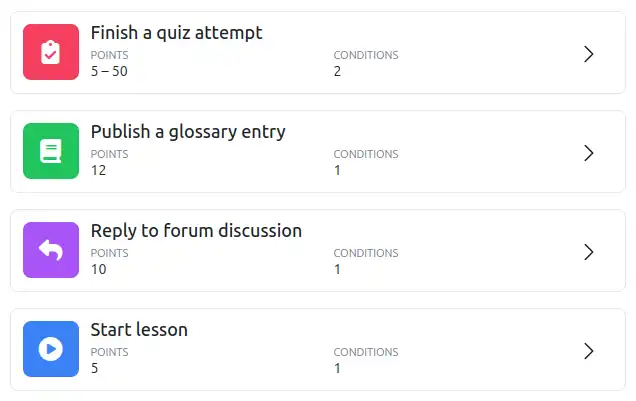
Want to reward learners for viewing content, writing in a forum, finishing a quiz, or getting a certificate? You start there. Pick the action, choose the points, and you already have something useful in place.
From there, you can keep it broad or make it more specific. Maybe it should only apply to one activity. Maybe it should apply within one section. Maybe it should apply wherever you have added a specific tag. The setup follows the way people naturally think about their learning content, which makes it much easier to understand at a glance.
We call these action rules, and they are now the recommended way to award points in XP.
More control over repeated rewards
Once your rule is in place, you can decide how often it should award points.
Maybe something should only give points three times in total. Maybe up to five times per day. Maybe ten times per week, or once per month. It is a simple way to stop points from piling up too easily while still rewarding the kind of participation you want to encourage.
That extra control is a big part of what makes this new setup so useful. You can keep things broad and simple, or add clear limits where they matter.
Use tags to apply points across activities
We also added the ability to target activities by tag.
This is a simple way to apply the same points across multiple activities. Instead of setting up a separate rule for each one, you create one rule and let the tag do the rest.
For example, you could create a rule so that activities tagged xp-10 award 10 points when completed. From that point on, any activity with that tag will follow the same rule. If you add another activity later, you just give it the tag and it works the same way.
Clearer point tracking in the logs
The logs now show which rule awarded the points, and you can filter them by rule too.
You can also jump straight to those filtered logs from the rules screen itself. That makes it much easier to check which points a rule awarded, who received them, and whether everything is behaving the way you expected.
A couple of extras
As a bonus, this release also adds certificate rewards through the Custom certificate plugin and comes fully compatible with Moodle 5.2.
We hope you are as excited as we are about these changes. For the full list of changes, have a look at our release notes.